PlaneRNG Controls by Platform
Movement, combat, roll UI, and menus on Desktop, Console, Mobile, and Tablet.
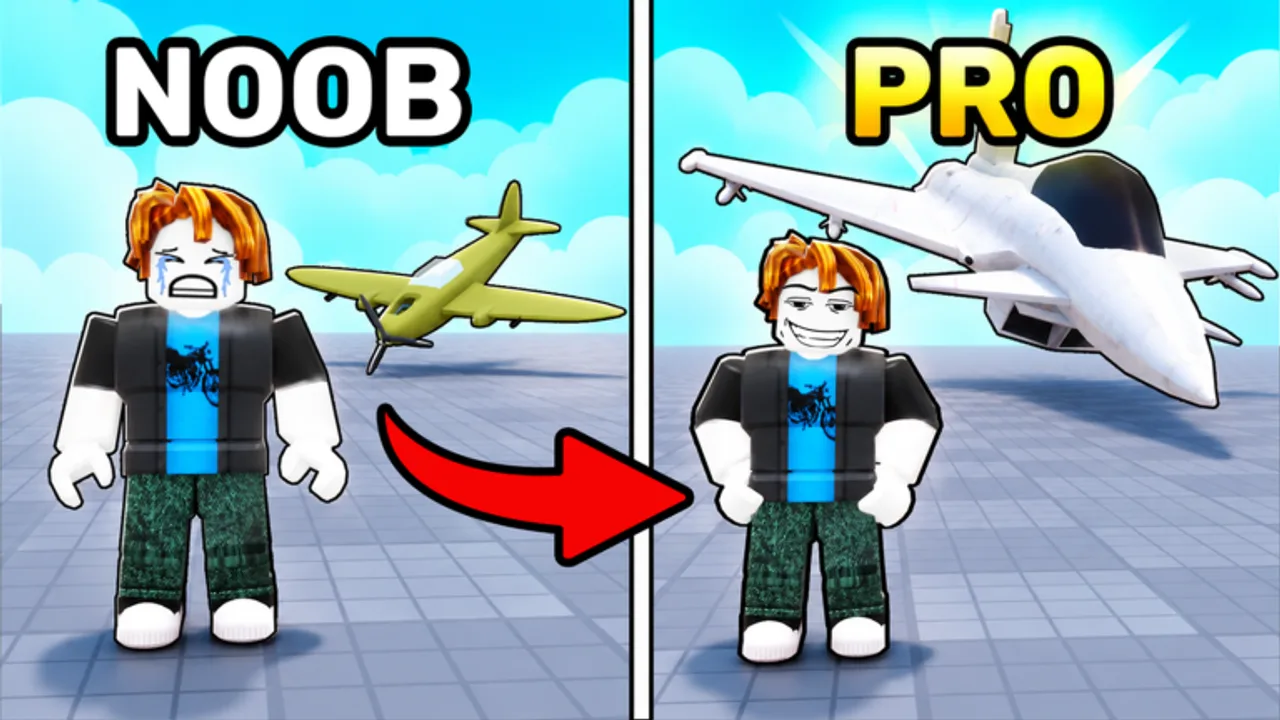
This Controls guide helps you execute the PlaneRNG loop cleanly on every supported platform. PlaneRNG by BINE Productions is a free Roblox incremental simulator: roll fighter planes, hunt enemies for money, upgrade your squadron, clear worlds and bosses, unlock mutations, and duel friends. Desktop, Console, Mobile, and Tablet all share the same systems—the difference is how fast you can reach roll, combat, and upgrade actions without mis-taps.
Bindings and button labels can move after patches. Treat this page as a habit checklist, not a frozen keybind bible. After any update, open Settings in-game and confirm movement, camera, and combat options before a long farm session. Pair this guide with Getting Started for day-one priorities and Farming and Upgrades once your fingers know the menus.
What you need to reach in every session
Regardless of device, you should be able to do these without hunting through unused panels:
- Move through the current world and reposition for packs or bosses.
- Deploy / target / fight with your active planes so kills convert into cash.
- Open the roll UI, pull candidates, and leave without soft-locking menus.
- Open upgrades / squadron and spend money on the planes that actually farm.
- Back out of shops, codes panels, and settings quickly so combat downtime stays low.
If any of those five takes more than a couple of seconds on your platform, practice the path in a safe corner before pushing a hard world.
Desktop / PC tips
Keyboard and mouse are the fastest for PlaneRNG’s menu-heavy loop.
- Learn a consistent order: hunt → upgrade → roll → hunt. Muscle memory beats staring at every icon.
- Keep the camera comfortable for tracking packs; if combat feels “floaty,” tweak sensitivity in Settings rather than blaming DPS.
- Use the extra screen space to keep this wiki open—especially Players Hub etiquette before friend fights, or tier pages while you decide keep versus replace.
- Close heavy background apps if VFX-heavy rolls hitch input. Missed clicks in the roll UI waste currency and attention.
- Prefer deliberate clicks on upgrade ranks. Panic-buying every visible node is how cash disappears into retired starters.
PC players often over-roll because menus are instant. Cap roll bursts with a keep rule so speed does not become clutter.
Mobile and Tablet tips
Touch platforms support the full loop, but accidental taps are the main tax on money-per-minute.
- Stabilize your grip before opening roll or upgrade panels; a palm edge can cancel a hunt or buy the wrong rank.
- Lower graphics if heat or frame drops make targeting unreliable. Smooth 30 FPS with clear hits beats pretty frames you cannot aim through.
- Prefer short cycles: roll a little, hunt a little, upgrade a little. Long AFK stares at one menu hide softlocks until you notice cash stopped rising.
- Zoom or camera options (when present) matter more on small screens—reposition so enemy clusters are readable before you commit.
- If your device allows split view, keep Getting Started or Codes open beside the game for quick checks without quitting Roblox.
Tablet users get more thumb room than phones; still treat every full-screen shop as a place you can trap yourself. Always note which button returns to the world.
Console tips
Controller navigation is precise once learned and slow when you browse every tab.
- Map the shortest stick/button path to roll, deploy/combat, and upgrades. Write it down for one session if needed.
- Decide keep/replace rules before opening inventory. Text-heavy UIs on a stick punish hesitation.
- Avoid nested menus mid-boss. If a historical plane boss is live, finish or retreat cleanly before tinkering with cosmetics.
- Watch dead zones and sensitivity after patches—console players feel camera changes earlier than mouse users.
- Party or friend invites can steal focus; mute distractions when learning a new world’s enemy timing.
Console sessions shine when you pre-plan the next upgrade breakpoint, then hunt until it is affordable without menu tourism.
Combat and targeting habits (all platforms)
PlaneRNG combat is how the economy breathes. Controls only matter if they keep your squadron busy on enemies you can finish.
- Engage packs your current DPS clears quickly. Long scrapes that nearly wipe you waste time even when you eventually win.
- After a short hunt, open upgrades immediately. Infinite squadron upgrades punish idle cash.
- If targeting feels inconsistent after an update, assume UI or camera defaults moved—check Settings before grinding for an hour on a “broken” feel.
- Swap to a boss-ready loadout deliberately; do not discover mid-fight that you still had the AFK farm camera and plane set.
- For friend fights, warm up one PvE pack so movement and targeting feel right, then read the social tips on the Players Hub.
Roll UI discipline
The roll panel is exciting and dangerous.
- Enter with a goal: fill empty slots, replace the weakest active plane, or chase a mutation project—not “mash until something sparkles.”
- Leave the UI after a short burst. Returning to combat converts rolls into tested power.
- On Mobile, double-check confirm prompts; fat-finger sells or locks hurt more than on PC.
- Cross-check keepers later with the Tier List once you own enough named uniques among the 130+ catalog planes.
Menus you should intentionally visit
- Settings — rebind awareness, graphics, audio; first stop after patches.
- Upgrade / squadron — primary money sink.
- Roll — acquisition.
- Codes / rewards (when present) — still worth knowing the path even when no codes are active.
- Social / friends — only after the PvE loop is automatic.
Skip random shop tabs until you know what currency they spend.
Post-patch control checklist
- Join PlaneRNG and open Settings.
- Confirm movement and camera still match your muscle memory.
- Practice one roll → hunt → upgrade cycle in a safe world.
- Note any renamed buttons so Mobile/Console paths stay short.
- Resume farming only when the five core actions feel snappy again.
Related pages
- Getting Started — day-one loop and platform habits
- Farming and Upgrades — what to buy once menus are fluent
- Players Hub — friend battle prep after controls feel natural
- Guides Hub — full walkthrough map
- Updates Hub — why bindings and UI may have moved
Clean controls do not replace a strong farmer, but sloppy controls will make a strong farmer look weak. Learn your platform’s shortest paths, recheck Settings after patches, and keep the loop moving.
Frequently Asked Questions
Quick answers for PlaneRNG pilots and grinders.
Do PlaneRNG controls differ on Mobile and PC?
Systems are the same; execution differs. Mobile needs shorter cycles and careful taps, while PC menus are faster but easier to over-roll.
Why do my buttons feel different after an update?
Patches can move bindings and UI labels. Open Settings and re-learn the path to roll, combat, and upgrades before long sessions.
What should I practice first on Console?
The shortest controller path to hunt, upgrade, and roll. Decide keep rules before opening text-heavy inventories.
Should I change sensitivity for combat?
Yes if camera lag or over-aim wastes volleys. Adjust in Settings, then test on a familiar pack before bosses or friend fights.
Where do I go after learning controls?
Follow Getting Started if you are new, then Farming and Upgrades for spend order. Use the Players Hub before serious duels.